

4·
26 days agopine64 has quite a few devices running different distros, but thats more like low end devices (thoigh they have a tablet, a laptop, phones etc.)
pine64 has quite a few devices running different distros, but thats more like low end devices (thoigh they have a tablet, a laptop, phones etc.)
I’m pretty happy with the JetBrains IDEs and their debugger GUI.
right, right, sorry, my brain is foggy rn.
Sounds like A/B X/Y problem.
If you just want to ssh into it - there is a thing that you can find by searching “reverse remote shell over HTTPS/WebSocket”.
Solutions like these pop up, but I have not personally used any of them:
Check out whether they could do what you want them to do.
Waiting for the pine64 shift with this one
I use arch btw. Do you also use arch btw?
It’s really touching that you consider me to be a sysadmin, because I use Linux and know how my fs works. I’m actually kinda proud of myself. My arch install has been working for many years.
Linux filesystems exam time:
section A basics
what does CoW stand for?
evaluate through pros and cons which you personally would pick: Btrfs, ZFS, F2FS, bcachefs, OverlayFS, aufs, Nilfs2, JFFS2, UBIFS
section B btefs
btrfs balance start -dusage=5 -musage=20 -c zstd \
    --bg /srv/vms && \
btrfs qgroup limit 50G /srv/vms/guests/win10
btrfs device add -f /dev/nvme2n1 /home && \
btrfs balance start -mconvert=raid1 -dconvert=raid1 -sconvert=dup /home
btrfs subvolume snapshot -r /opt/app /opt/.snaps/auto-$(date +%s) && \
btrfs send -c -p /opt/.snaps/last-full \
    /opt/.snaps/auto-$(date +%s) \
    | ssh backup 'btrfs receive -f /backup/opt/incoming'
btrfs filesystem defrag -r -v -czstd:15 \
    /var/lib/docker/overlay2
btrfs subvolume delete /mnt/root/@old && \
btrfs subvolume snapshot -r /mnt/root/@clean /mnt/root/@ && \
btrfs subvolume set-default 256 /mnt/root
section C zfs
[…]
/s
Cursor AI, operated by …
dang son
arch
no
I found it pretty easy to see with thedynamic examples. It flashed “no result” for a second before showing a result for example, happened, especially the first time when searching something after a fresh boot.
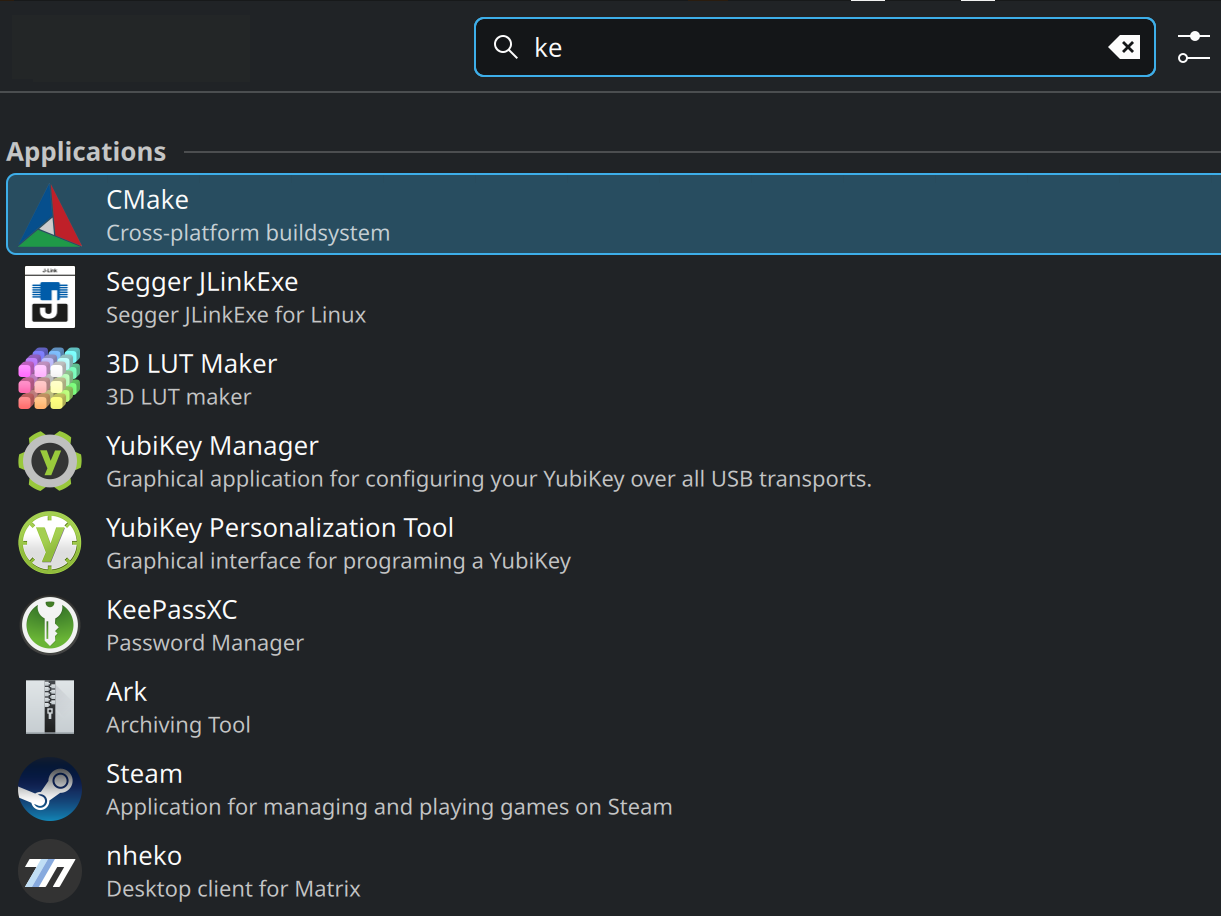
For a static example - what the fuck is this result ordering? What do any of those apps except keepass have to do with “ke”?
here is another, when I want to start teamspeak, steam is the first result like WTF?
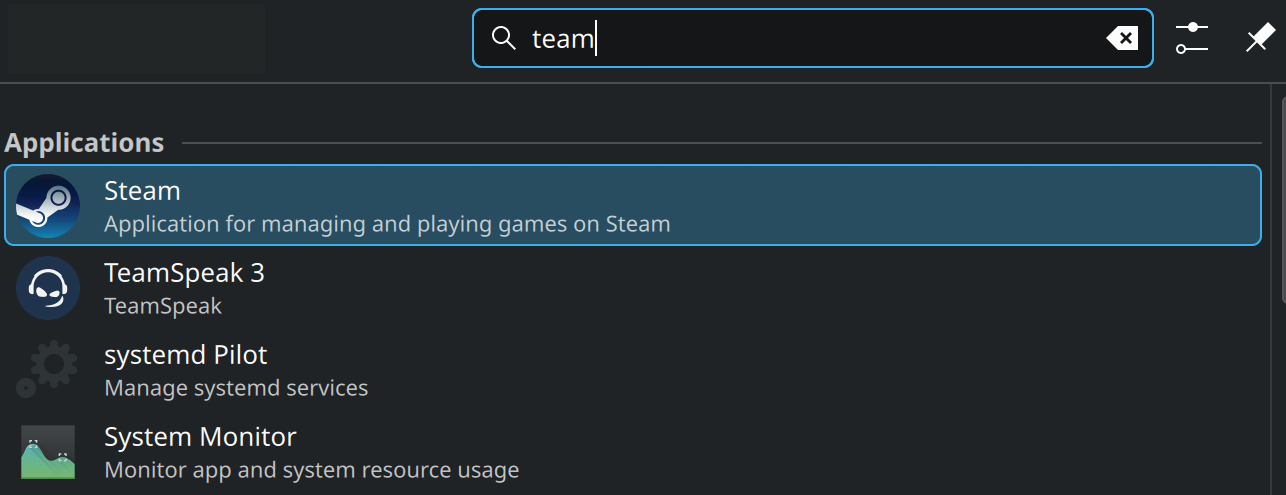
I find it is absolutely insane and deranged UX that the results where the app name STARTS with the entered substring are not at the top of the list.
I tried to reproduce those out of curiosity for a couple of minutes without much effort and I immediately saw that I have about 40% of those…
But the other 60% seem weird and my menu refused to behave like that. Maybe thats just luck, maybe it depends on version and distro. idk.
Very interesting and detailed post regardless.
never backquotes, it’s unintuitive
afaik you can still run the free version from the website with TEXT mode and ncurses completely in the terminal without a DE (but you have to spoof X).
If not the newest one, then the last one (v47).
WHERE THE FUCK IS DWARF FORTRESS

You can learn something new every day.
the easiest way to share text between computer and mobile
kdeconnect
whatever is in your desktop clipboard will just instantly appear in your mobile clipboard.
Even the subheadings are clickbait.
Convert Files to Any Format From the Terminal
I got intrigued. What magical tool could it be that can convert ANY file to ANY format?
It’s pandoc … It’s a monumentally awesome tool, but no, it can not convert files to “any” format. It can’t even convert a pdf to anything (which the article might let you on to believe).
And then it’s imagemagic and ffmpeg. Yeah…
zorin
I gave it to two people in my family and they both have no complains.
Does it work?
You can mostly just copy your home partition/dir with something like rsync.
Step by step:
Install new distro, in the installer make sure to use the same username (otherwise there is some extra work involved but still doable)
start up new distro to make sure it works
reboot into old distro or into live linux
use rsync to copy olddistro/home/user to newdistro/home/user (you have to think about whether it makes sense to overwrite all files or if there is maybe some special exception somehow. Like there may be some idiomatic bashrc on one distro that does not work well with the other)
(I’ve done that multiple times now and there is some minor fixing involved sometimes, like with the bashrc example, but otherwise it’s super easy. If you ever get stuck just hit me up and I can hop on a Rustdesk/discord/whatever support session)